Review Comments (1) Screenshots (1) Questions & Answers (0) Votes (3) Awards (7) Wiki  
-Please log in to rate
3.7 3.7/5 (3)
-Neobyte Solutions
-2.5.0.117
- www.titanbackup.com
- 1 442 person
Download Titan Backup

6 MBDownloaded 234 times


Review

This review applies to version 2.0 The latest version of this software will soon be reviewed by our informers.

What would happen if you lose your digital photos, music, emails, important documents, database files or favorite electronic books?
What would you do? Everyone knows that information is priceless and you can't afford to lose it.
Titan Backup is an easy-to-use solution, designed for secure backups of your important data. It can make automatic backups of your important files and documents, virtually on any type of storage media including CD/DVD-RW, removable devices, network drives and remote FTP servers.
A well designed user interface and a flexible scheduler makes it easy to organize the automatic backups. ZIP compression allows you to save the disk space. Using 256-bit AES strong encryption will ensure full security of your confidential data.
The main features of Titan Backup software: Easy to use wizard-driven interface and simple browsing between the Backup Tasks; Having many free plug-ins installed by default, Titan Backup software facilitates the backup of emails and rules for Microsoft Outlook, Outlook Express, Firefox, Opera, Thunderbird, Eudora, Windows settings, system registry and more... ; Predefined searching filters that allow you to backup certain file types from your computer; Non-proprietary archive format. Titan Backup uses standard Zip archives (ZIP64), including self-extracting archives - ZIP64 support: zipped backups can now be larger than 4 GB. Entire compression engine was re-written to support large archives; Version control, incremental and differential backups; 256-bit AES encryption; Before / After commands; Backup to virtually any storage device (including LAN, CD/DVD, removable devices, remote FTP servers, etc); Backup Windows Registry; Built-in easy-to-use task scheduler; Email notifications regarding the backup task; Detailed logs of all backup operations; Sync Tasks - allows you to synchronize folders from different medias( example:sync your USB stick with MP3 with your computer).

Screenshots

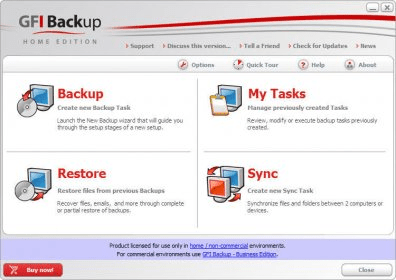
Main Window Main Window

Latest comments

Guest #4011895(beginner) 6 months ago 
Works very well, extremely reliable. The interface is a bit cluttered with all the functions. I have been using the free version for a couple of weeks and had no problems at all. Ideal if you keep your data separate( programs etc on C:\ and Data on D:\ for example) as it does incremental and differential backups. This saves a lot of time and trouble when you change something. Very good program.
Add new comment All 1 comments
Extensions
.tbc Titan Backup Task
.tbt Titan Backup Task
Download siClient

Email Address:

Password:

Register now »

Forgot password?

Copyright © 2009, Informer Technologies, Inc. About| Privacy and terms| Help| Feedback